
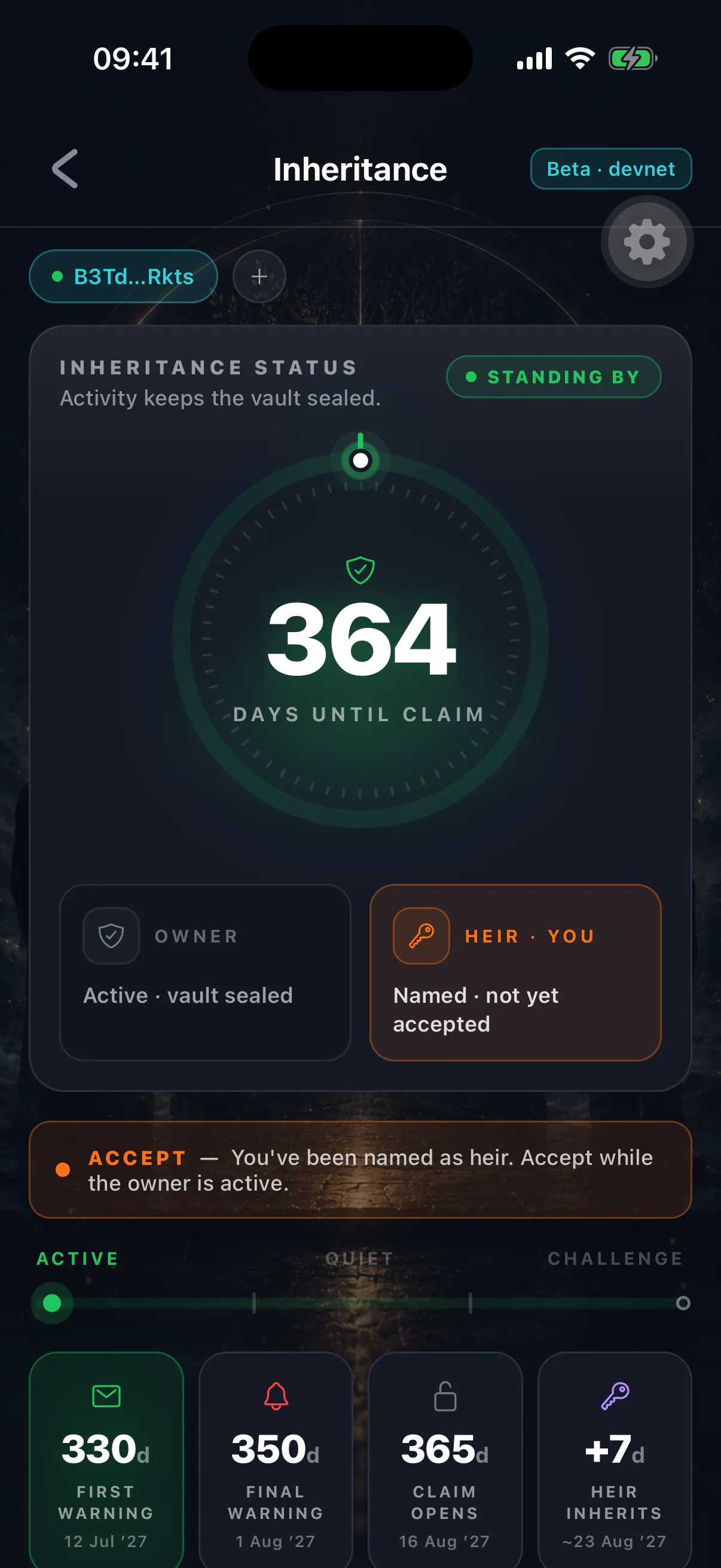
Acceptance is a signature. It costs a network fee and takes a minute, and it is the difference between an arrangement that works and one that quietly does not.
Doing it
- 01
Install the app and set up your wallet
Either create one — and give them the new address — or import the wallet at the address they already named. It must be the exact address in their configuration.
- 02
Open the heir view
Add the owner's address to start watching them. Their public configuration loads from the chain.
- 03
Check the details
Confirm the heir address shown is yours, and look at the timer they set so you know what to expect.
- 04
Sign the acceptance
One confirmation and one transaction. Their configuration now records you as confirmed.
- 05
Register your vault key
Open the Legacy Vault screen and register a vault key. Accepting the role covers the assets; this is what lets the owner encrypt vault items to you. Do it now — before they fill their vault.
- 06
Tell them
Their inheritance screen will show you as confirmed. It is worth confirming out loud too — this is the step people assume happened and did not.
Register before they fill the vault
Items the owner saves before your key exists are stored with no share for you. The app repairs this, but only the next time the owner opens their Legacy Vault screen. If you register late, ask them to open their vault once so those items get re-sealed to you — otherwise they will not be readable when the vault releases. See known limitations.
Why it is required
The acceptance proves three things the program cannot otherwise know:
- The address is valid, not a typo.
- Someone controls the key behind it — it is not an unspendable string.
- That someone knows they were named.
Without it, a mistyped character could send an entire estate to an address nobody can access. With it, the worst case of a typo is that the estate stays locked, which is recoverable while the owner is alive.
If you never accept, nobody inherits
The estate does not fall back to anyone. It stays in the inheritance vault, unreachable. Accepting is not a formality.
What accepting does not do
- Give you access
- No. Nothing becomes available.
- Commit you to anything
No obligation. You can decline to claim later.
- Lock the arrangement
The owner can change or remove you at any time.
- Reveal anything private
You see only what is already public plus vault item titles.
If they change something
Changing the heir resets confirmation. If they repoint the inheritance at a different address, that person must accept in their own right — and if they repoint it back to you later, you accept again.
Changing timers or depositing assets does not affect your confirmation.
Keep the wallet safe
The address you accepted at is the only one that can ever claim. Losing that wallet means losing the ability to inherit, and there is no route to reassign it except the owner naming you at a new address — which requires them to be alive and paying attention.
Back it up properly, and check the backup occasionally.