
Finalizing the claim is what unlocks the vault. Until then the items are ciphertext, and no amount of asking changes that.
How it works
- 01
Open the vault view
The items scoped to you are listed — titles and categories were always visible; now they can be opened.
- 02
Request release
Your app proves you are the confirmed heir, and the on-chain claim status is re-read at that moment. It must show finalized.
- 03
Decrypt on your device
The key material is reassembled and the item is decrypted locally. The plaintext exists only on your phone.
The check is live, not cached. It is made fresh for every release, which is what makes a cancelled claim close the vault instantly.
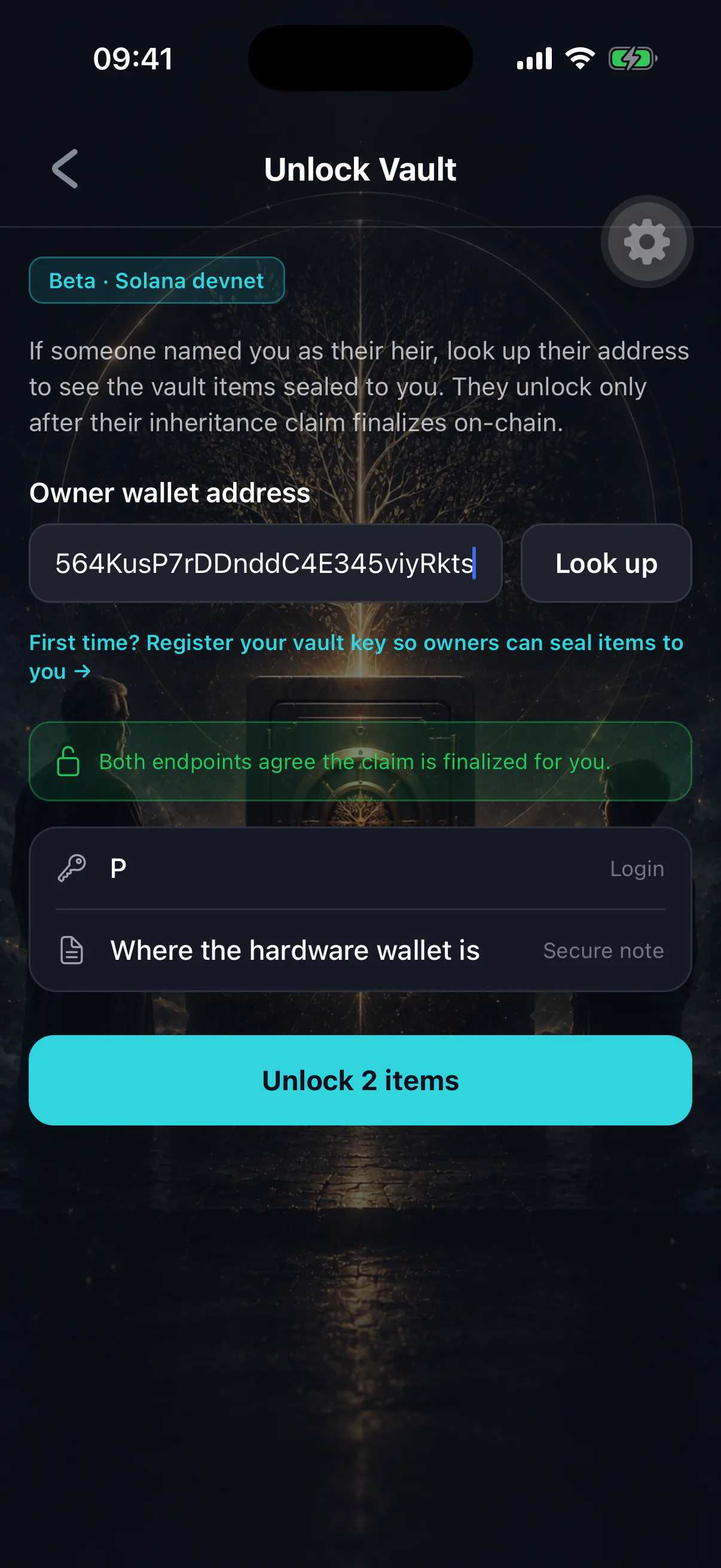
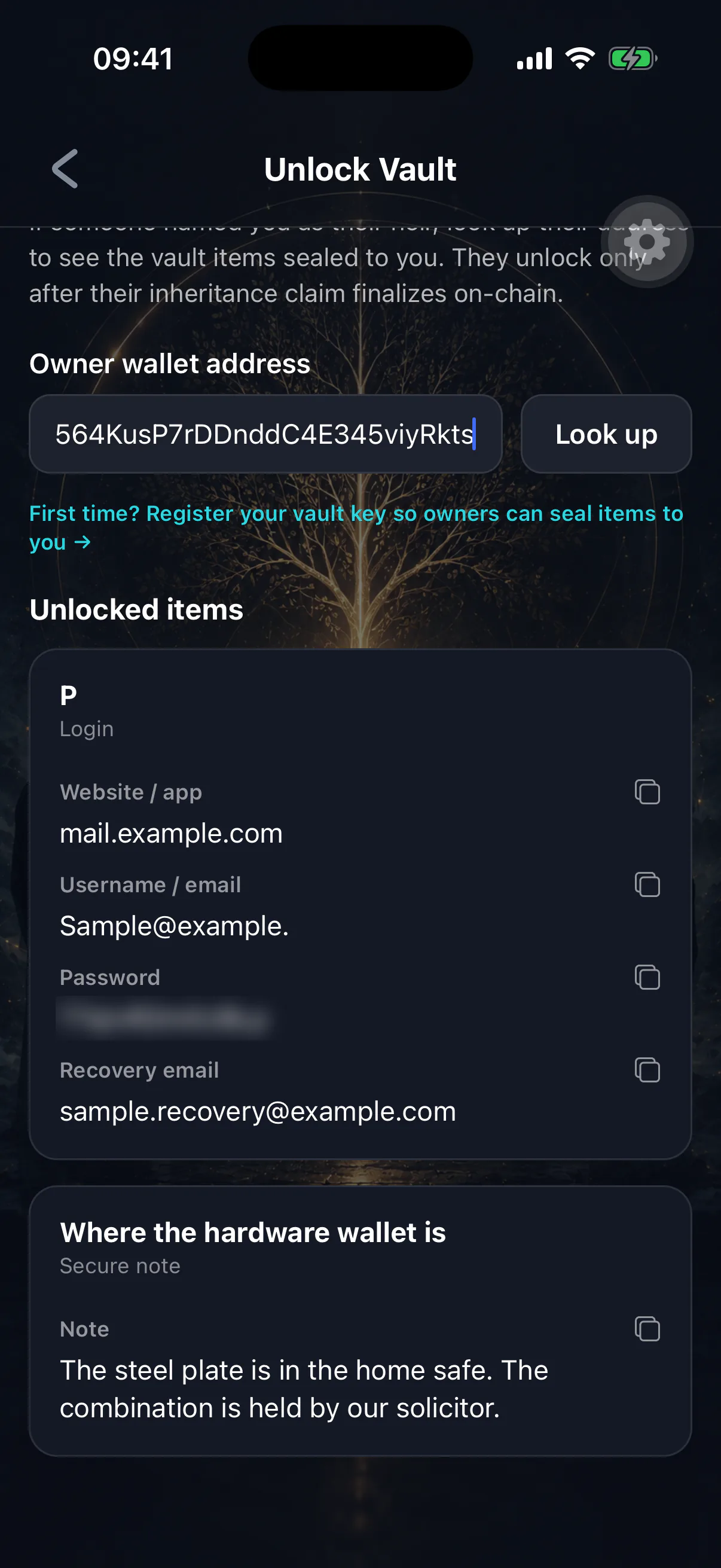
What you will find
Whatever was left for you: logins, notes, files, links, crypto instructions, emergency contacts, a final message. Items marked owner-only were never part of the release and will not appear.
What to do first
- 01
Read the instructions before acting
There is often an order of operations, and a note explaining why something that looks odd is deliberate.
- 02
Deal with any recovery phrase immediately
If a wallet's recovery phrase was left for you, move those funds to a wallet you control, promptly. Read the next section first.
- 03
Secure the accounts
Change passwords on the accounts you now control, and update recovery emails to one you own.
- 04
Contact the people listed
Solicitor, accountant, executor. They may have been waiting for exactly this.
If a recovery phrase looks empty
This is expected, and it is the single most misread outcome.
Phrases are stored with a passphrase split: the words are in the vault, and the wallet's passphrase — its "25th word" — was deliberately kept somewhere the app cannot reach. The item records where that is.
Restoring the words without the passphrase produces a valid, empty wallet. The funds are not gone; you are looking at the wrong wallet. Find the passphrase at the location the item names, add it, and the balance appears.
Do not conclude the wallet was drained
A zero balance from a restored phrase almost always means the passphrase has not been supplied. See storing a recovery phrase for why it was built this way.
The owner is told
When items are released, the owner is alerted with a list of what went out. If they are alive, that alert is how they find out — and if a recovery phrase was included, the alert says so distinctly.
That is a safety feature for them, not a restriction on you.
If an item will not open
Usually connectivity, or a claim whose status has changed since you last looked. See a vault item will not open.
Afterwards
Copy anything you need out of the vault and into your own secure storage — a password manager, a safe, wherever you keep important documents. Do not leave an inherited estate depending on one app on one phone.