
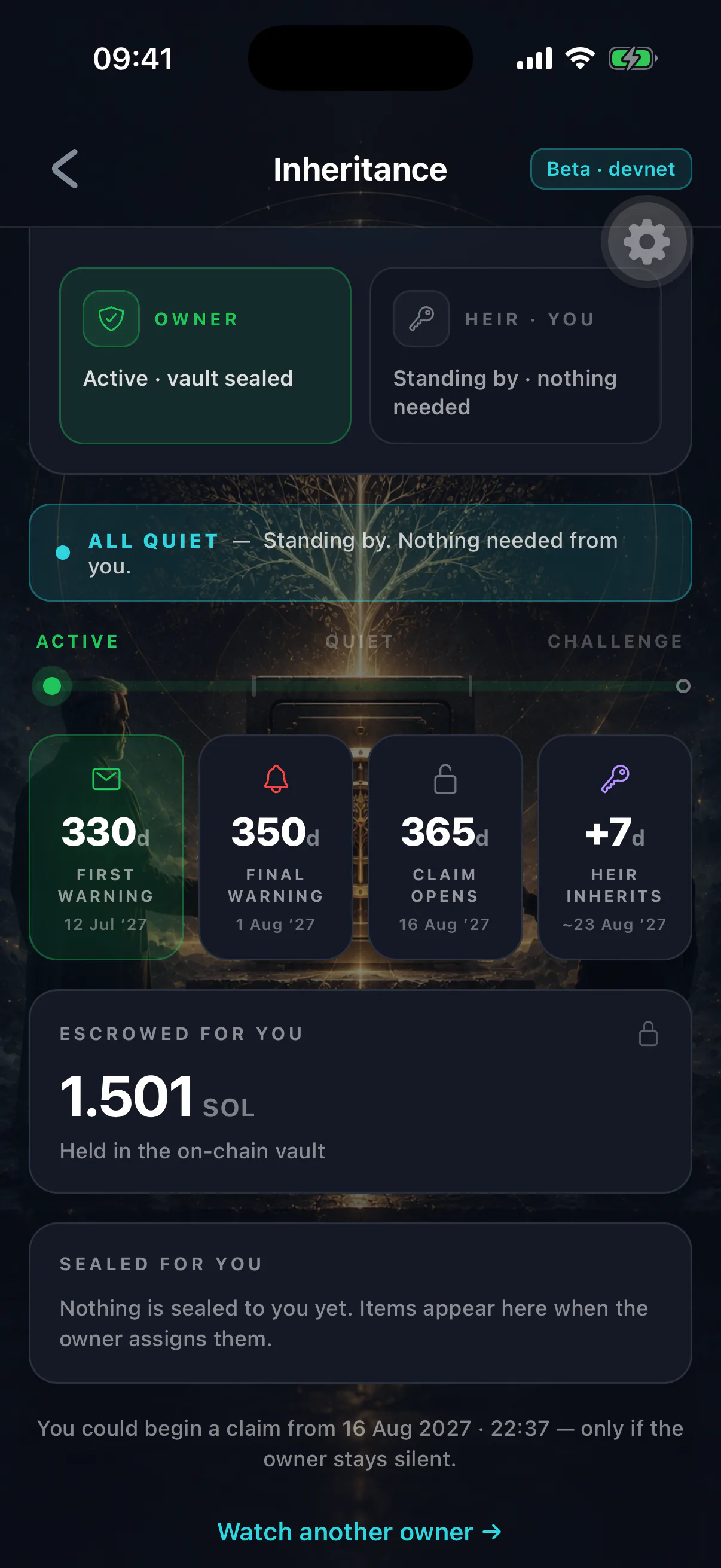
Once you have accepted, the heir view is where you can see where things stand. Everything on it comes from the blockchain, so nobody — including the owner — can show you something untrue.
What you see
- Owner address
- Whose estate this is
- Last activity
- When they last did anything in their wallet
- Time remaining
How long until a claim would become possible
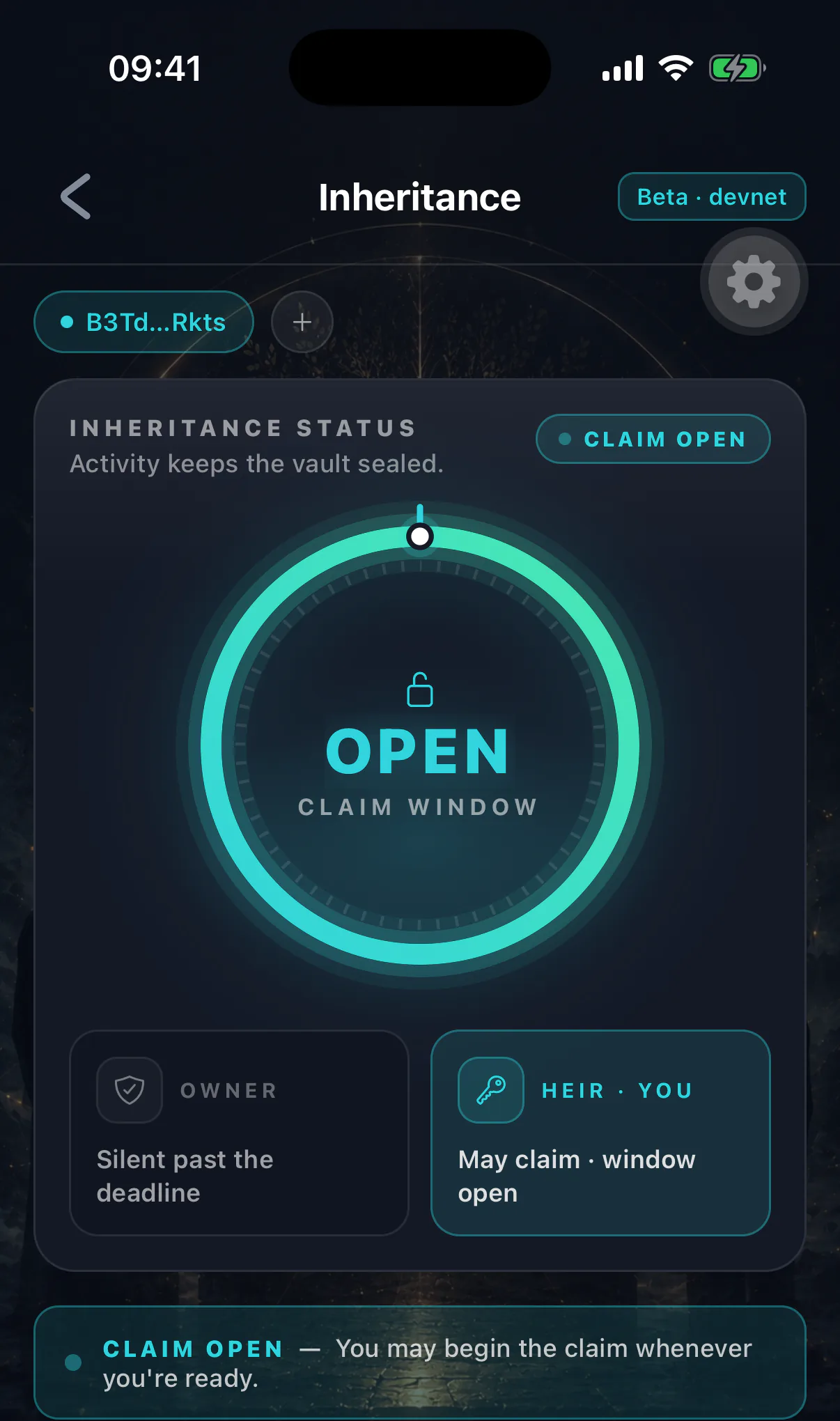
- Claim status
- None, challenge active, or finalized
- Deposited estate
The SOL and tokens set aside in the inheritance vault
- Vault item titles
Names and categories only — contents stay encrypted
The states, and what to do
Active. Their timer is running normally. Nothing to do. Check in occasionally if you like; it changes nothing either way.
Approaching. The countdown is short. This is the moment to try to reach them — a message, a call, a knock on the door. Almost every case at this stage is someone who lost a phone or stopped paying attention, and a text solves it.
Lapsed. The timer has fully elapsed and a claim has become possible. Nothing has happened automatically. Whether to start a claim is a judgement, not an obligation. See starting a claim.
Challenge active. You have started a claim and the waiting period is running. The owner can end it by simply opening their app.
Finalized. The window closed. You can withdraw the estate and open the vault. See finalizing and claiming assets.
A lapsed timer is not proof of anything
People lose phones, go into hospital, travel somewhere without signal, or simply forget an app exists. Exhaust the ordinary explanations before treating a lapse as bereavement.
Notifications
Turn them on when prompted. As an heir you are alerted when a claim window opens for someone you watch, and when a challenge window you started has closed and can be finalized.
If nothing arrives, see notifications are not arriving.
Watching several people
You can watch more than one owner. Each is tracked separately with its own timer, status and notifications.
Verifying independently
The inheritance account is public. Look the owner's address up on any Solana block explorer and you can read the same last-heartbeat timestamp and claim status the app shows you.
That is worth knowing if you ever doubt what the app is telling you, or if you need to demonstrate the position to a solicitor or a family member.
What you still cannot see
Their balance outside the inheritance vault, the contents of any vault item, and anything on their device. Being an heir grants visibility of the arrangement, not of their life.