
Start with the single item your heir would be most stuck without. Usually that is the login to your primary email, because almost every other account can be recovered through it.
Adding it
- 01
Choose a type
The type decides the fields you get. See vault item types.
- 02
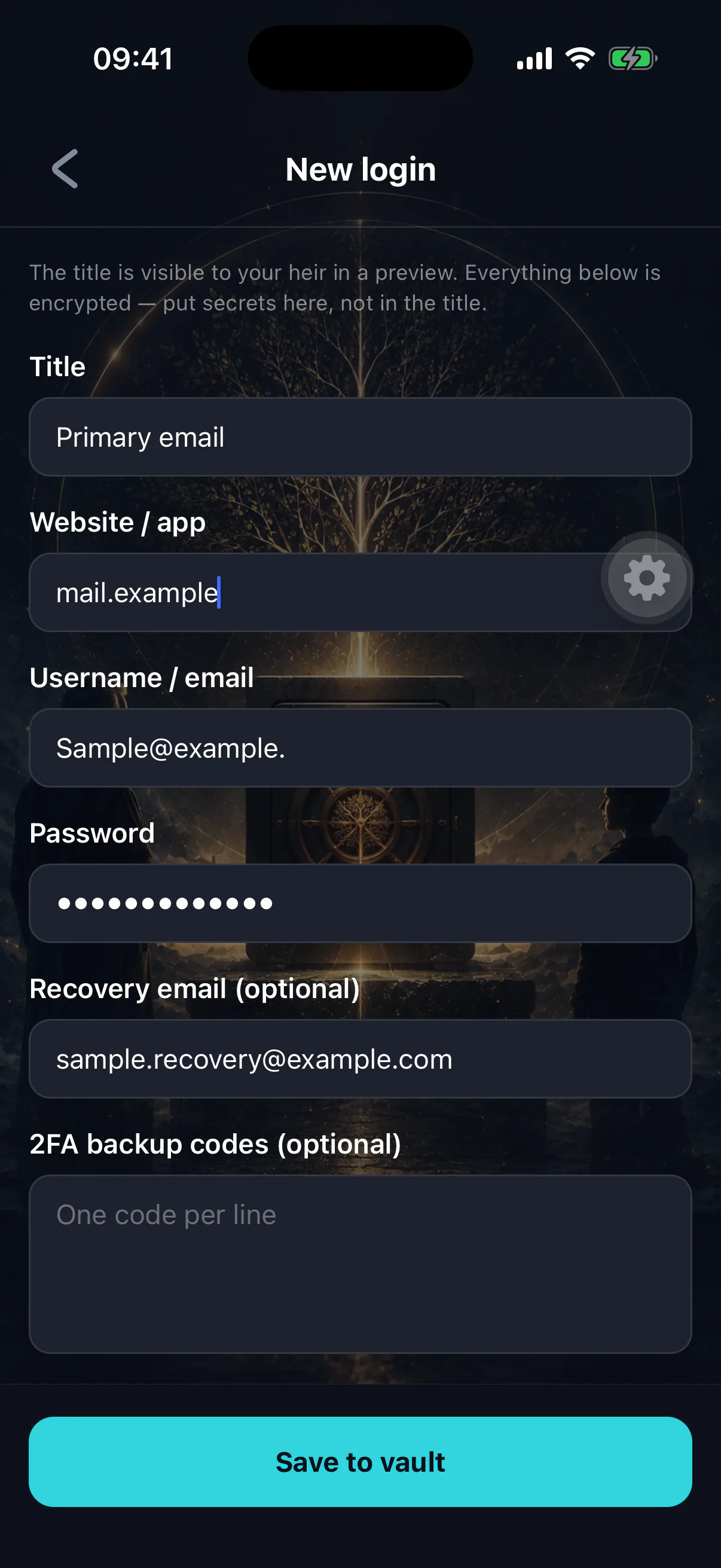
Write a title that gives nothing away
The title is stored unencrypted so lists can be shown. “Primary email” is right. “Gmail — dave@… / Tr0ub4dor” is a leak.
- 03
Fill in the fields
Everything here is encrypted. Be generous with the notes field — context your heir does not have is the most common reason an inherited credential is useless.
- 04
Set the release scope
Released to your heir on finalization, or kept private to you. See release settings and scope.
- 05
Save
The item is encrypted on the device with a key generated for it alone, and only the ciphertext is stored.
What happens when you save
- A fresh random key is generated for this item, on your phone.
- The item's contents are encrypted with it, using authenticated encryption — so tampering is detected rather than silently decrypting to something else.
- The key itself is split into shares, no one of which reveals anything, and distributed so that reassembly requires the on-chain release condition to hold.
- The ciphertext is stored. Your title and category travel alongside it in the clear.
At no point does a readable copy of the item, or a usable copy of its key, exist outside your device. See how the vault is encrypted.
Writing for a stranger in a crisis
Your heir will read this without you there to explain it, possibly years from now, while grieving. Assume no context.
A useful item answers four questions
What is this account for? How do I get in? What will block me — two-factor, security questions, a device I do not have? What should I actually do with it once I am in?
"Coinbase — email and password" is a credential. "Coinbase — holds about half the Bitcoin. Two-factor is on the SIM in the safe. Sell or transfer, do not leave it sitting; the account is in my name and they will freeze it once they know" is an inheritance.
Editing and deleting
Items can be edited or deleted at any time while your wallet is active. Editing re-encrypts with a fresh key rather than reusing the old one.
Deleting is permanent and removes the item from the estate entirely.
What to add next
A reasonable starting set:
- Primary email login.
- Where your recovery phrase backup physically is — as a note, not the phrase.
- Exchange or brokerage accounts, with instructions.
- Your solicitor or executor as an emergency contact.
- A final message.