
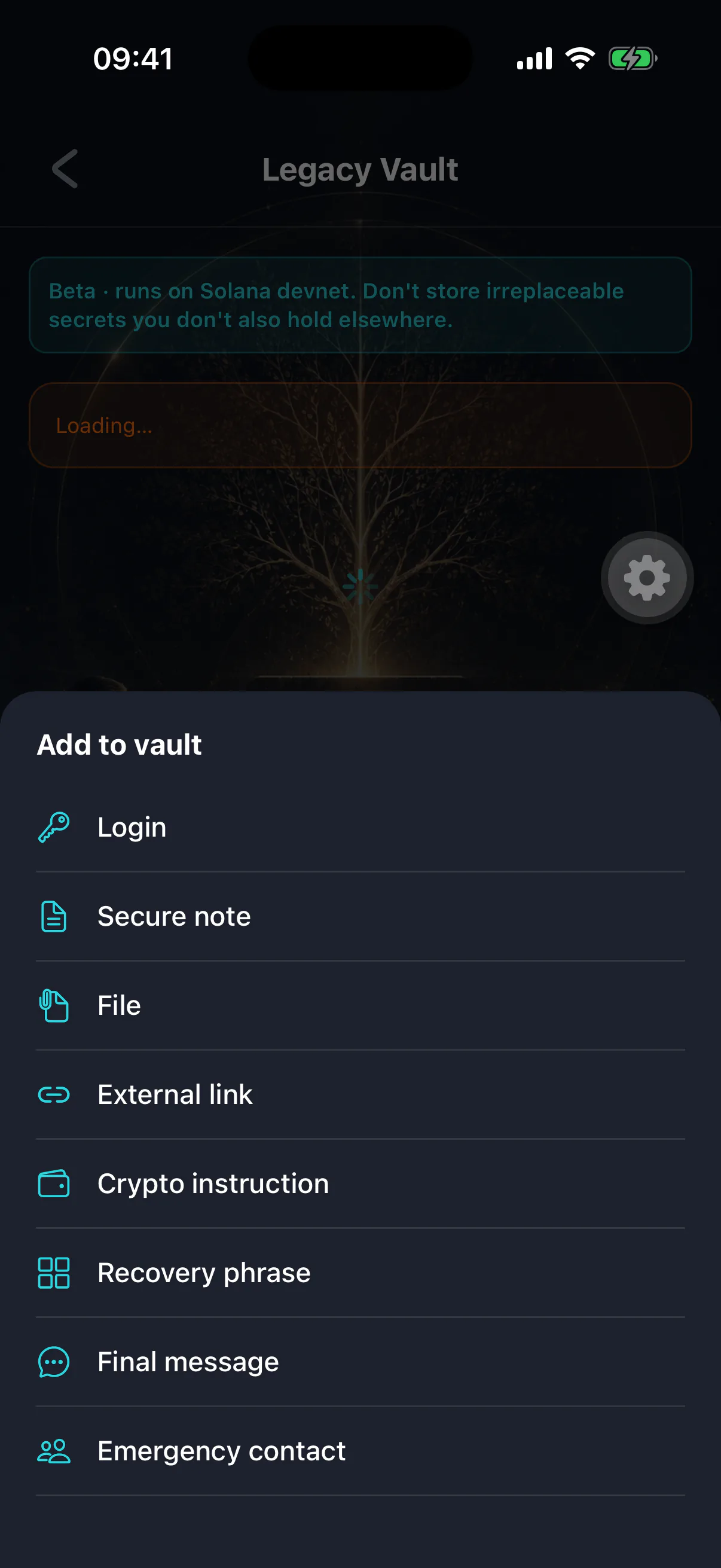
Every item has a type. It decides which fields you are given, how the item is presented to your heir, and — in one case — what safety rules apply.
The eight types
- Login
Site or app, username, password, recovery email, two-factor backup codes, notes. The workhorse.
- Secure note
Free text. Instructions, explanations, anything that does not fit a form.
- File
A document, scan, image, PDF, archive or media file. Encrypted before upload. See storing files.
- External link
A URL plus access instructions and a backup contact — cloud drives, a solicitor's portal, a document store.
- Crypto instruction
Exchange accounts, hardware wallet locations, multisig arrangements, tax notes. What to do, not the keys themselves.
- Recovery phrase
A wallet's words, for coins this app cannot hold on-chain. Has its own guardrails — see storing a recovery phrase.
- Final message
Text, audio or video for your heir. See writing a final message.
- Emergency contact
Solicitor, accountant, executor, family, business partner — who to call and why.
Choosing the right one
The type is not cosmetic. It changes what the app does for you and for your heir.
Use Login rather than a note for credentials. The structured fields mean
your heir sees a labelled username and password rather than having to parse your
prose under stress.
Use Recovery phrase rather than a note for seed words. This one matters
most. A phrase pasted into a secure note gets none of the protections: no check
that you are not storing your own device's seed, no BIP39 validation, no
requirement to record where the passphrase lives, and no special alert to you if
it is ever released. It is the same words with the safety removed.
Use Emergency contact rather than burying a phone number in a note. Your
heir is going to need people, quickly, and a list they can scan beats a paragraph
they have to read.
Never store your Legacy Wallet phrase
The app blocks it. The phrase that derives your device's key also derives the key protecting the vault, so storing it inside would expose every item — even the ones marked owner-only.
Fields you can leave blank
Most fields are optional. An item that is half-filled is still readable; an item that fails to decode is not. The app enforces what a type genuinely needs at the point you save it, and is otherwise permissive.
The exception is the recovery-phrase type, which insists on a passphrase location before it will save. That is deliberate — see storing a recovery phrase.
Categories
Independent of type. Categories are your own grouping — "Banking", "Property", "For the children" — and, like titles, they are stored unencrypted so the list can be rendered. Keep them generic.