
Solana assets can be escrowed by the program: deposited, held, and returned if you cancel. Bitcoin cannot, and neither can any wallet you hold outside this app. For those, the vault carries the words.
That is a weaker guarantee, and the app is built to keep the difference visible rather than paper over it.
Why it is weaker
An on-chain deposit is revocable. The program holds it, and if the switch fires by mistake you can reclaim it.
A released recovery phrase is not. The release gate can stop a release that has not happened yet; it cannot un-read words an heir has already decrypted. Prevention degrades into detection, and a race you might lose.
The passphrase split
The design that makes this acceptable is to store only half of what is needed.
- 01
The words go in the vault
Encrypted, released only on a finalized claim, like any other item.
- 02
The passphrase goes somewhere else entirely
A BIP39 passphrase — the “25th word” — kept where the app cannot reach it: a solicitor, a home safe, a second person.
- 03
The item records only where that is
Not the passphrase. Its location. This field is required and the obvious null answers are rejected.
Neither half is useful alone. A phrase released early opens an empty wallet, and you have time to move the funds.
Keep at least two copies of the passphrase
The residual risk moves from “released early and robbed” to “passphrase lost and unrecoverable”. That risk is yours to manage, and it is real: lose the passphrase and the wallet is gone for everyone, including your heir.
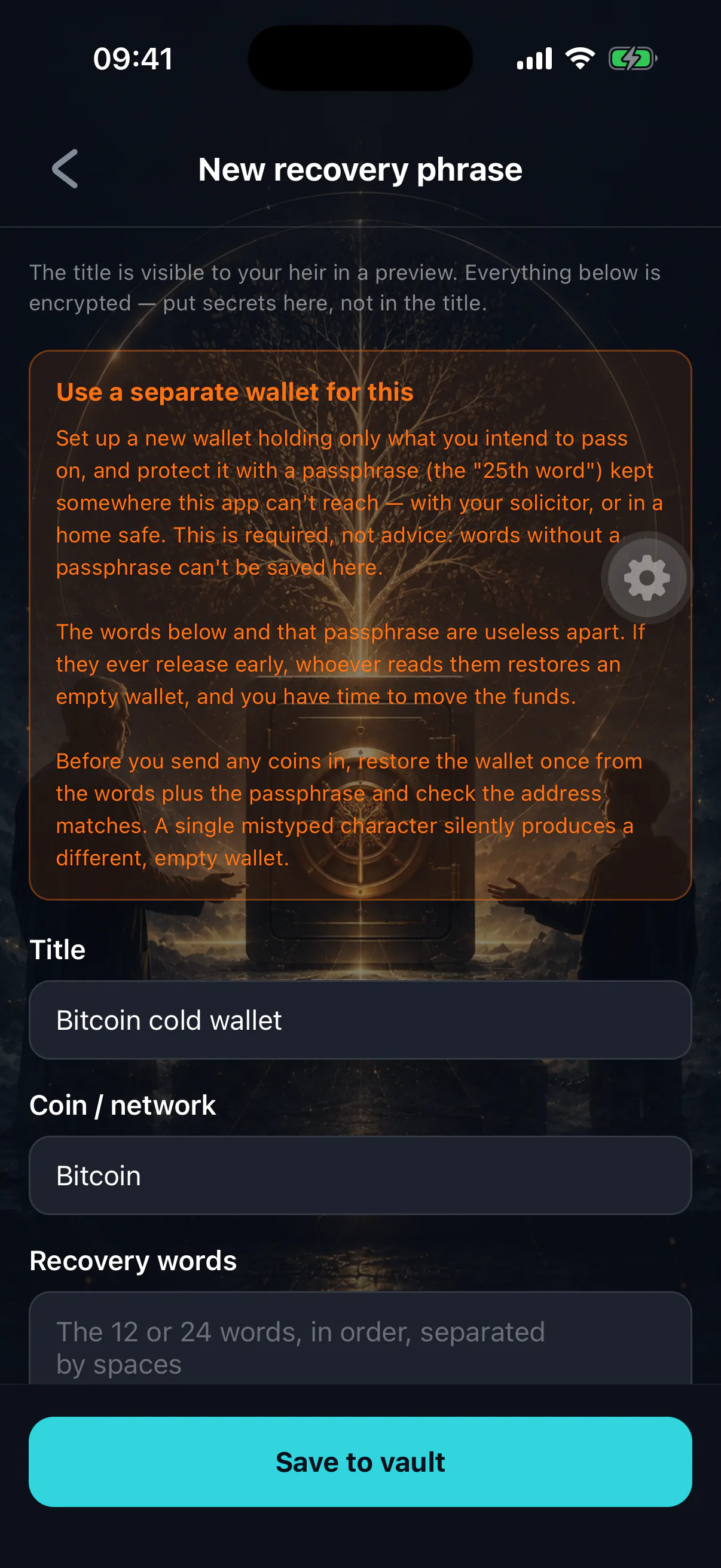
The guardrails
- Your own seed is blocked
A phrase that derives any address on this device is refused outright. It would expose the key protecting the whole vault.
- Passphrase location required
Cannot be saved without one. “None”, “n/a” and similar are rejected.
- Checksum warnings
A bad word count or failed BIP39 checksum warns and asks you to confirm rather than blocking — Electrum and Monero seeds legitimately fail a BIP39 check.
- Canonical storage
Words are normalised to lower case and single spaces, so your heir gets a restorable phrase whatever you pasted.
- Release alert
If a phrase is among released items, you are alerted with wording that says move the funds now — not rotate a password later.
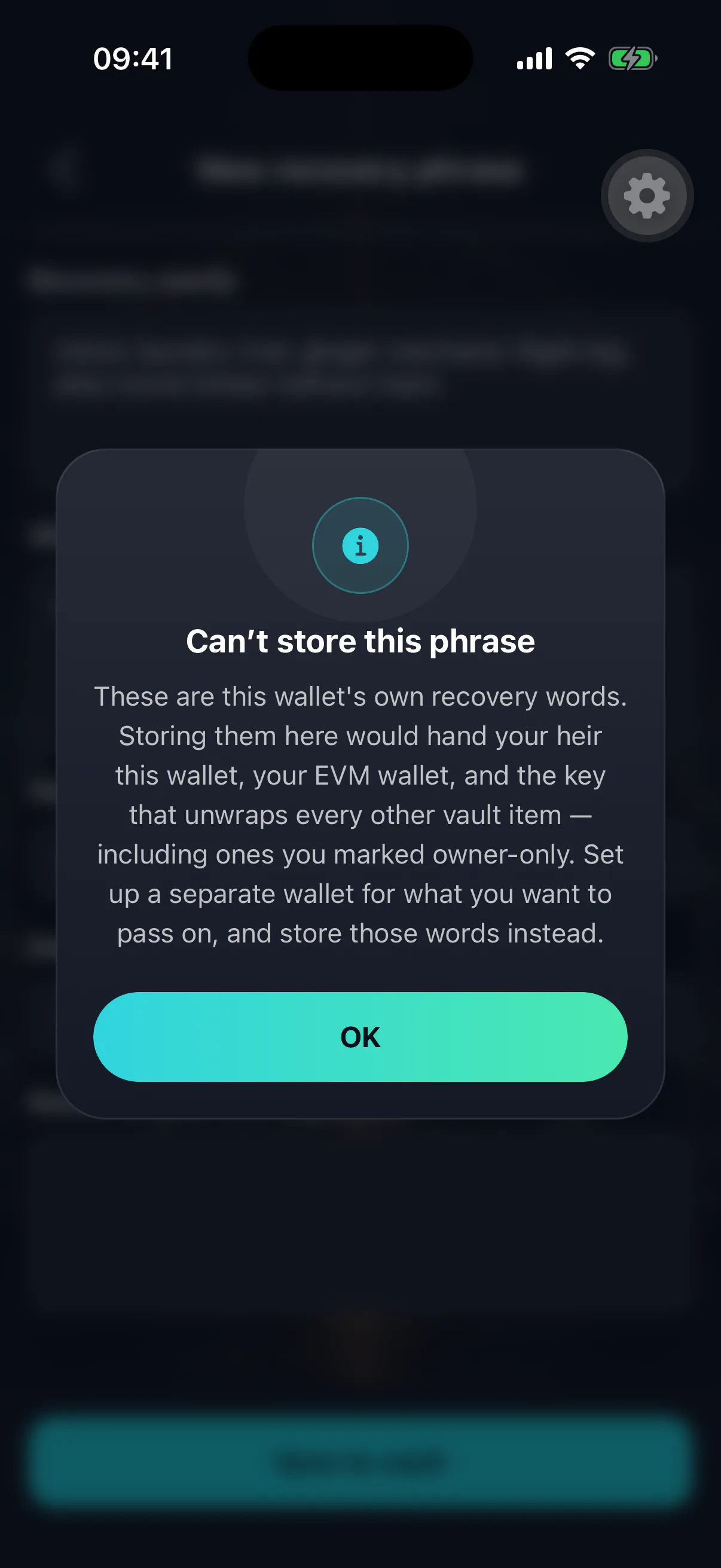
What your heir is told
The heir-side screen explains that a zero balance is expected until the passphrase is added. Without that, an heir who restores the phrase and sees nothing concludes the wallet was drained, and gives up on funds that are sitting right there.
The alternative
If a passphrase split is more machinery than you want, do not put the phrase in the vault at all. Instead store a pointer: a secure note saying where the backup physically is and who can grant access. Slower for your heir, and it leaves nothing to leak.