
Everything else in the vault is logistics. This is the part that is not.
How it works
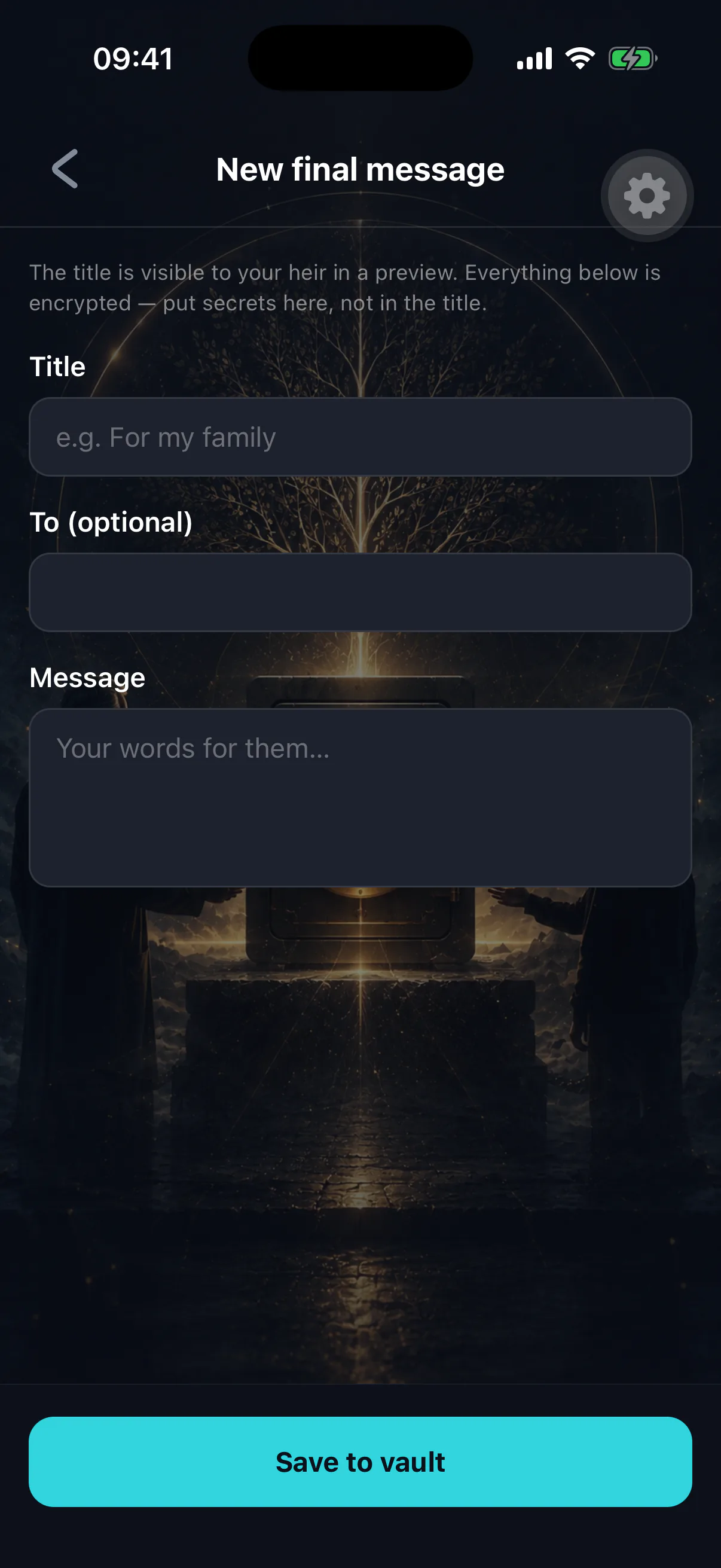
A final message is an ordinary vault item with its own type. Write text, record audio, record video, or attach a file. It is encrypted on your device and released alongside everything else once a claim finalizes.
Your heir cannot read it early, and neither can anyone else.
Practical notes
Separate messages for separate people. Only your heir receives vault items, so anything meant for someone else has to be something your heir can pass on. Say who it is for, in the title and in the message.
Video and audio are large. They encrypt and upload like any file, and they download over whatever connection your heir has at the time. Keep them reasonable, or split a long recording into parts.
Say the practical things too. Funeral wishes, who to tell, accounts to close, the dog. People write beautifully and forget to mention the pension.
Date it. Years may pass. A message that references "the new house" is confusing if you moved twice since.
Update it occasionally
A message written five years ago may name people who are no longer in your life, or omit ones who are. Re-read it when you review your deposits.
Scope it deliberately
A final message must be scoped for release to be delivered. An item marked owner-only is never released to anyone — which is a fine choice for a private draft, and a very sad mistake for the version you meant them to have. See release settings and scope.
What your heir sees first
Titles are stored unencrypted, so your heir may see the title of this item long before they can open it. That is not necessarily bad — "For Sam, when the time comes" tells them something kind without revealing anything.
But it is visible from the moment you save it. Choose the words with that in mind. See what your heir sees before release.
If this is the only thing you add
That is still worth doing. The assets are handled by the program whether or not you write anything. The message is the part only you can leave.