
Not everything in the vault is an inheritance. Some of it is just yours.
The two scopes
- Released to your heir
Becomes readable to your confirmed heir once a claim finalizes on-chain. The default for anything you are storing for them.
- Owner only
Never released, to anyone, under any condition. Readable by you while your wallet is active, and inert afterwards.
Scope is per item. A vault can hold a mixture, and most do.
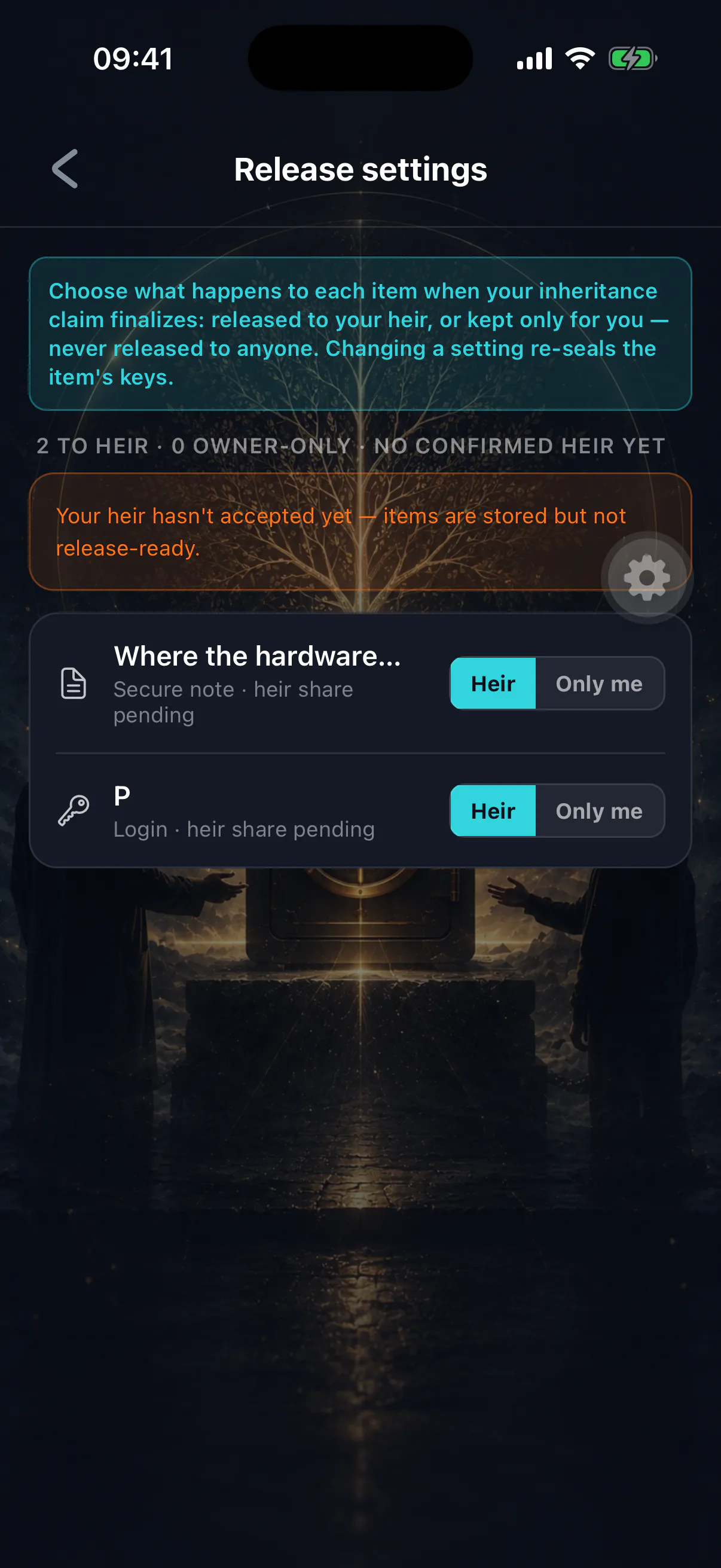
When each applies
Release anything your heir needs to settle your affairs: logins, instructions, documents, contacts, messages.
Owner only for things that are useful to you now and would be either pointless or unwelcome later — a password you use daily and will change anyway, notes about a business partner, drafts you have not finished, anything private that you keep in the vault for convenience rather than for them.
Owner-only is the only thing standing in the way
There is no second confirmation and no per-item override at release time. If an item is scoped for release and a claim finalizes, it goes. Review your scopes when you review anything else.
Changing scope
Any time before a claim finalizes. The change takes effect on the next release check, which is made live rather than cached.
What happens at release
Once a claim is finalized on-chain, your heir's app can request the release of the items scoped to them. Each request re-reads the on-chain state at that moment: it must show a finalized claim, and the requester must be the confirmed heir for that estate.
The consequence is that a claim you cancel closes the vault again immediately. An heir cannot rely on an approval from a second earlier, because there is no approval to rely on — only a fresh check each time. See cancelling a claim.
You are told what went out
When items are released you are alerted, with the list. If a stored recovery phrase was among them the alert says so distinctly, because the required response is different: move the funds now, rather than change a password later. See storing a recovery phrase.
Owner access after finalization
Once an estate is finalized, owner-side vault access closes. This is deliberate — the estate has settled, and the ownership question has been answered by the chain.
If you are alive and this happened by mistake, see I missed my check-in.