
A file item holds an actual document rather than a description of one. Deeds, policies, scans, photographs, a video.
How it works
- 01
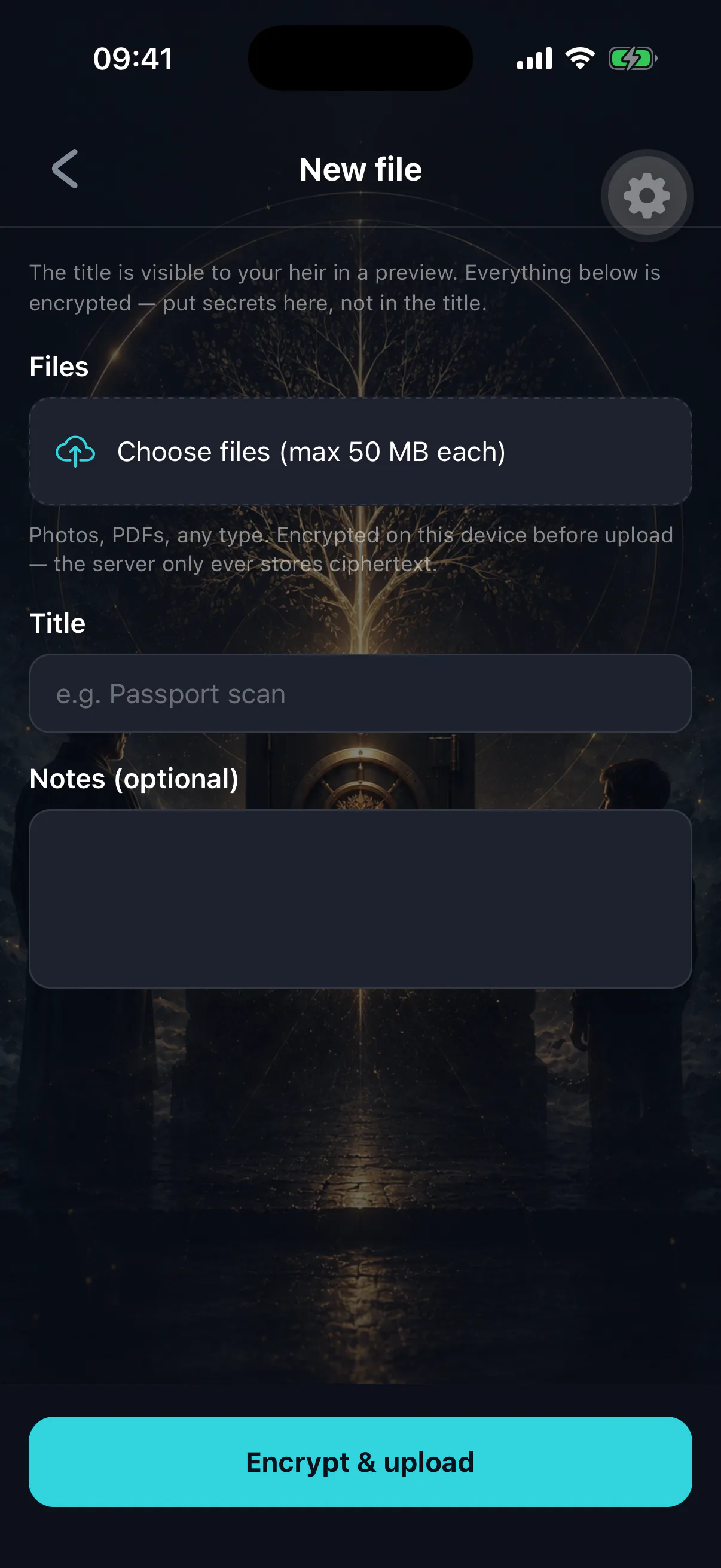
Pick a file
From your device's file picker or photo library.
- 02
It is encrypted locally
The bytes are encrypted on your phone with a key generated for that file alone. What leaves the device is ciphertext.
- 03
It is uploaded and stored
The encrypted object is stored, along with a checksum used to verify it comes back intact and unmodified.
- 04
Add notes and set scope
Explain what the document is and why it matters — a scan of a deed with no context is a puzzle, not an asset.
What is encrypted
- File contents
- Encrypted on device before upload
- Original filename
- Part of the encrypted payload
- Your notes
- Encrypted
- Item title and category
Not encrypted — stored in the clear so lists can be rendered
Name the item carefully
“Property documents” is fine. “Deed — 14 Ashgrove Rd — mortgage acct 40233” is a leak, because the title is readable before any release.
What is worth storing
- Property deeds, mortgage paperwork, lease agreements.
- Insurance policies and pension documents.
- Wills and letters of wishes — a copy, alongside the original with your solicitor.
- Identity documents your executor will need.
- Business paperwork: shareholdings, agreements, accountant contacts.
- Photographs and recordings that exist nowhere else.
- The image files behind NFTs you care about, since the token only points at hosting that may not outlast you.
What is not worth storing
Anything enormous, anything you would not miss, and anything your heir could obtain trivially elsewhere. The vault is for things that are hard to replace and hard to find.
Replacing a file
Files cannot currently be swapped in place. To update one, delete the item and add the new version — which is a good moment to re-read your notes and check they are still true.
When a file will not open
Usually connectivity while fetching the encrypted object, or a genuine integrity failure caught by the checksum. See a vault item will not open.
For your heir
They download and decrypt on their own device after finalization, and get the original file with its original name back. Large files over a poor connection take time — worth a note in the item if a file is very big.