
The inheritance vault is a program-controlled account derived from your address. Assets you put there are held by the program until your heir claims them or you take them back.
Nothing you do not deposit is inherited
This is the point people miss. Your ordinary wallet balance is not part of the estate. Depositing is the act that puts something in it.
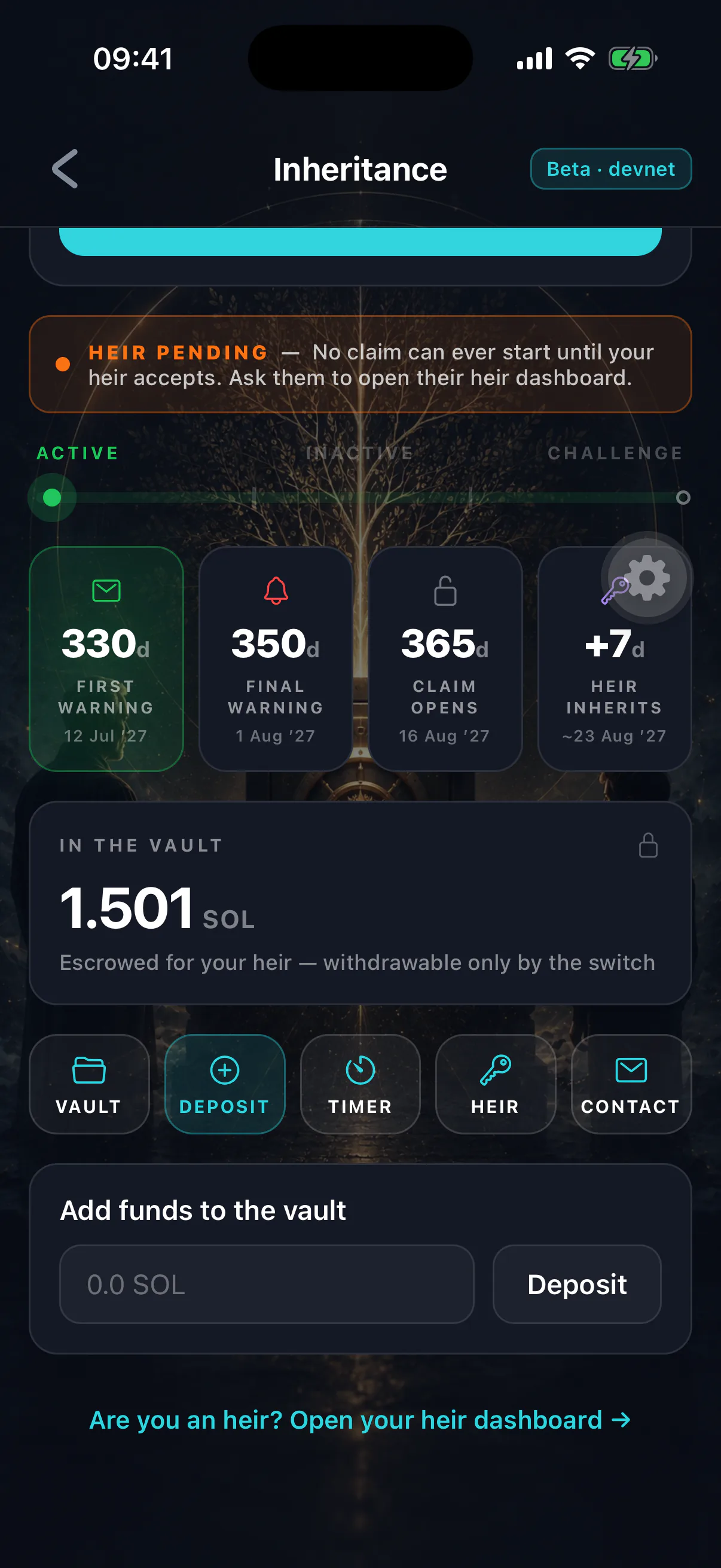
Making a deposit
- 01
Open the inheritance screen
The deposited balance is shown separately from your wallet balance.
- 02
Choose an amount
Leave yourself enough SOL for fees and future check-ins. A deposit that leaves you unable to transact is a deposit that can stop you cancelling a claim.
- 03
Approve
One confirmation on the review sheet. The assets move to the program account.
Depositing counts as owner activity, so it also resets your inactivity timer.
What can be deposited
- SOL
- Yes. This is the only asset the app can currently deposit.
- SPL tokens and NFTs
Not yet. The on-chain program can escrow them, but the app does not yet offer a way to do it. Tokens and NFTs in your wallet are not part of the estate today.
- Assets on other chains
No. Cover them with vault instructions or a stored recovery phrase instead.
SOL only, for now
If you hold anything other than SOL and want your heir to receive it, the Switch does not cover it yet. Leave instructions in the Legacy Vault — see vault item types — and treat the deposited SOL as the whole of the on-chain estate.
Getting assets back
You can reclaim, but the two asset types differ and the difference matters.
SOL. Recoverable. Reclaiming a finalized estate returns any unswept SOL to you, minus the small rent the account must retain.
SPL tokens. Not applicable yet, since the app cannot deposit them. When that arrives it will carry a caveat worth knowing in advance: the reclaim path cannot enumerate every token account the vault holds, so deposited tokens would not be returned automatically. See known limitations.
Deposits and a finalized estate
Once a claim finalizes, the program refuses further deposits. This is deliberate: a deposit counts as owner activity, and without the guard a single lamport would silently undo a settled inheritance and strip an heir of assets they had already been granted.
If you are genuinely alive after a finalization — the timer ran out while you were unreachable — there is a separate owner reclaim path that returns the estate to a fresh state. It only becomes available after a grace period during which your heir could have swept, so a real inheritance is unaffected. See I missed my check-in.
How much to deposit
There is no right answer, but there is a wrong habit: deposit once, never look again. Value moves, your holdings change, and a deposit sized for two years ago is rarely the right size today.
Review it when you review everything else — once a year is plenty, and pairs naturally with checking your recovery-phrase backup.