
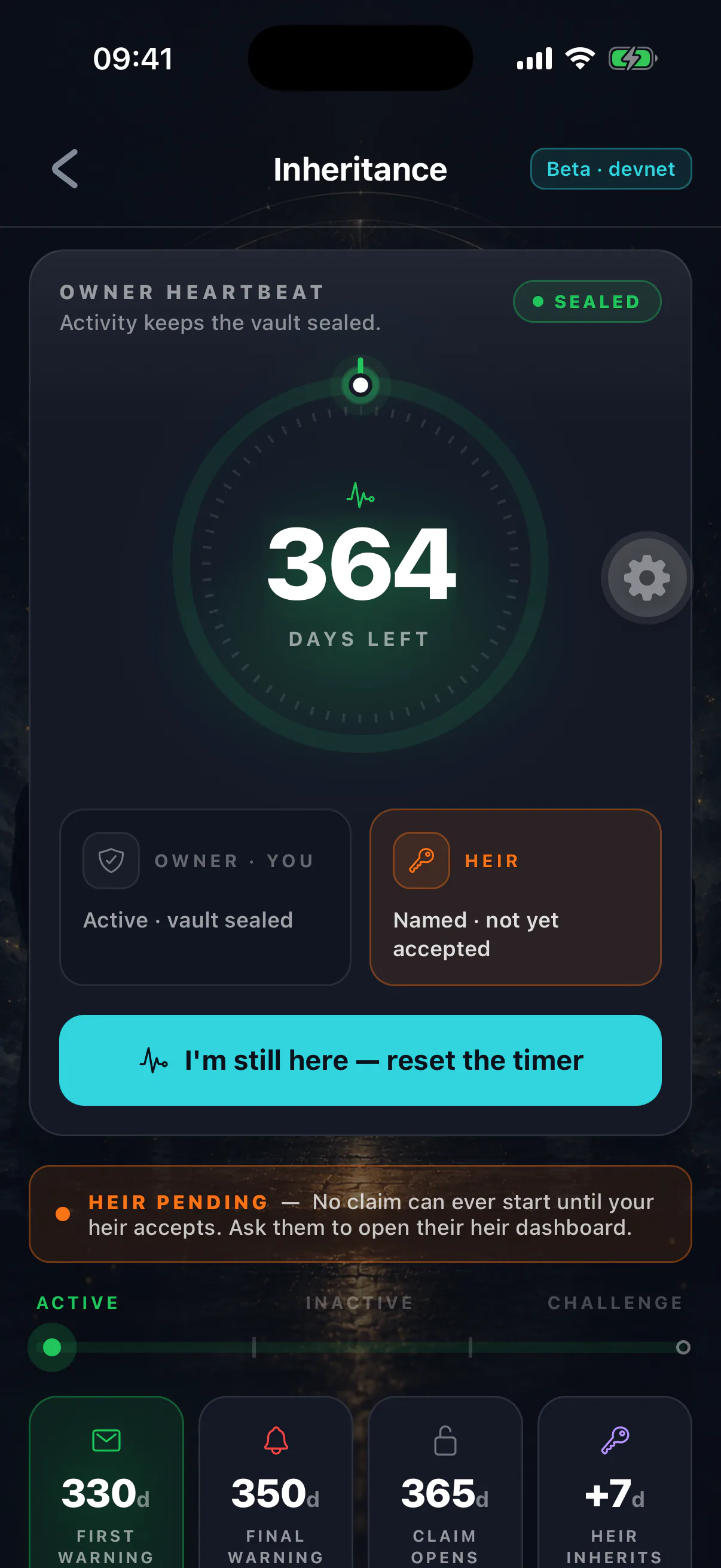
The heartbeat is a timestamp in your on-chain inheritance account. The Switch measures your silence against it, and nothing else.
What resets the timer
Any action you take as the owner:
- Opening the app, which sends a heartbeat automatically.
- Sending, swapping or receiving-into-a-signed-action — anything you sign.
- Depositing into the inheritance vault.
- Changing your heir or your timers.
- Cancelling a live claim.
All of these write a fresh timestamp. There is no separate ritual to perform, and no way to be alive in the app's eyes without the chain agreeing.
What does not reset the timer
- Funds arriving from someone else
No. A payment into your address is their activity, not yours.
- Opening the app on a device with no network
No. The heartbeat is an on-chain write and needs connectivity.
- A wallet you cannot unlock
No. If biometrics fail and you cannot get in, no heartbeat is sent.
- Reading your balance on a block explorer
No. Nothing outside the app touches the inheritance account.
A heartbeat costs a network fee
Every check-in is a Solana transaction. An address with no SOL cannot check in. Keep a working balance — running to zero is one of the few realistic ways to trip your own switch.
How often is enough
Far less often than people assume. The timer measures the gap between actions, not a schedule. On a one-year timer, opening the app once a quarter keeps you nine months clear of the threshold at all times.
The habit that works: check in when you already have a reason to — reviewing a balance, sending something, or when a warning arrives.
Multiple devices
The heartbeat lives on-chain, so it is shared. Checking in on one device updates the state your other devices read.
Scheduled warnings can lag behind
Each device schedules its warnings from the timer state it last saw. If you check in from a second device, the first may still fire a warning it had already scheduled until it next syncs. A warning that surprises you is worth acting on rather than ignoring — open the app and confirm the countdown on the inheritance screen, which reads the chain directly.
Long absences you can plan for
A trip somewhere without connectivity, a hospital stay, a prison sentence, a sabbatical — anything you can foresee that will keep you off the app for a long stretch.
The right move is to lengthen the inactivity timer before you go, not to hope. Changing it takes one transaction and counts as a check-in in its own right. See choosing your timer.
Verifying where you stand
The inheritance screen shows a live countdown read from the chain. Your heir sees the same numbers from their side. If you ever want to confirm independently, the inheritance account is public and readable on any Solana block explorer.